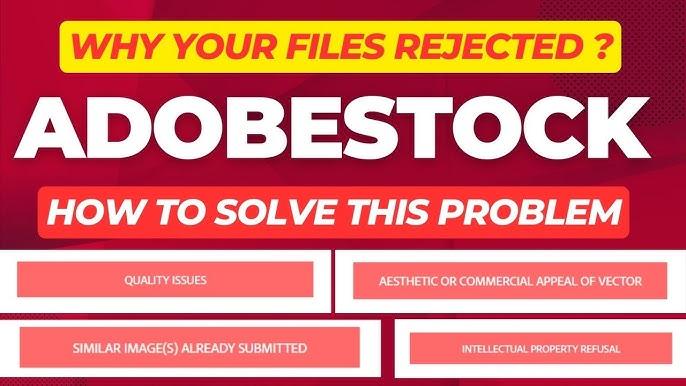
Adobe Stock par images upload karna aasaan lagta hai, lekin approval milna sabse mushkil part hota hai.
Main khud is phase se guzra hoon jahan same image baar-baar reject hoti thi, quality high hone ke bawajood.
Time ke sath testing, guidelines padhne aur apni mistakes samajhne ke baad mujhe clear samajh aa gaya ke Adobe Stock image rejection kyun hoti hai aur kaise avoid ki ja sakti hai.
Is complete guide mein main bataunga:
Adobe Stock par image without rejection kaise upload karein
Quality loss ke baghair export ka sahi method
AI images ke liye AI tag lagana zaroori hai ya nahi
Real mistakes jo main ne ki aur unka solution
Agar aap beginner hain ya already rejections face kar chuke hain, ye guide aapke liye hai.
Why Adobe Stock Rejects Images (Real Reasons)
Sabse pehle ye samajhna zaroori hai ke Adobe Stock image rejection random nahi hoti.
Mostly rejection in common reasons ki wajah se hoti hai:
1. Low Image Quality
Noise
Blur
Over-sharpening
Pixelation
Chahe image achi lag rahi ho, Adobe ka technical check bohot strict hota hai.
2. Incorrect Image Size or Resolution
Adobe Stock minimum requirement:
4MP (megapixels)
JPEG format (high quality)
Low resolution images automatically reject ho jati hain.
3. Compression & Quality Loss
Photoshop ya kisi aur tool se galat export karne par:
JPEG artifacts aa jate hain
Detail loss hota hai
Ye bhi ek common Adobe Stock rejection reason hai.
4. Missing AI Content Label
Agar image AI-generated hai aur aap AI tag nahi lagate:
Direct rejection
Ya future account warning
Adobe Stock Image Quality Requirements (Must Follow)
Agar aap image without rejection upload karna chahte ho, to ye rules follow karna zaroori hai:
Format: JPEG
Color Mode: RGB
Resolution: Minimum 4MP
No watermarks
No logos or brand names
No excessive filters
Natural colors (over-editing avoid karein)
👉 Tip: Adobe ko natural looking images zyada pasand hain.
How to Export Images Without Losing Quality (Step-by-Step)
Ye woh jagah hai jahan 80% log galti karte hain.
Photoshop Export Settings (Best)
File → Export → Save for Web (Legacy)
Format: JPEG
Quality: 85–90
Convert to sRGB ✔
Metadata: Copyright only
Image Size resize mat karein jab tak zaroori na ho
👉 100 quality use karna zaroori nahi 85–90 best balance hai quality aur size ka.
JPEG vs PNG – Which One Is Better for Adobe Stock?
❌ PNG upload karna recommended nahi hai
✔️ JPEG is best
Reason:
Adobe Stock JPEG prefer karta hai
PNG heavy hoti hai
PNG se upload rejection chances zyada hote hain
Agar aap PNG se JPEG convert kar rahe ho:
High-quality converter use karo
Re-compression avoid karo
AI Images on Adobe Stock – AI Tag Lagana Zaroori Hai?
Short answer: YES, 100%
Agar image:
Midjourney
DALL-E
Leonardo AI
Firefly
Any AI tool
se bani hai, to:
✔️ AI content checkbox tick karna lazmi hai
Agar AI tag na lagao to kya hota hai?
Rejection
Account trust score down
Future upload slow approval
👉 jo zarori baat:
AI image hone ka matlab earning nahi hogi ye bilkul ghalat myth hai.
AI images bhi approve hoti hain aur sell hoti hain, bas rules follow hone chahiye.
How to Upload Image Without Rejection on Adobe Stock (Correct Process)
Step-by-Step Upload Method:
Image final export karo (JPEG, high quality)
Adobe Stock Contributor dashboard open karo
Upload image
Correct title likho (simple & clear)
Relevant keywords add karo (spam mat karo)
AI image hai? → AI tag ✔
Submit
👉 Keyword stuffing bhi rejection ka reason ban sakta hai, isliye sirf relevant keywords use karo.
My Personal Rejection Mistakes (And Fixes)
Main honestly bata raha hoon jo mistakes main ne khud ki:
❌ Over-editing
Main images ko zyada sharp aur contrasty bana deta tha
✔️ Fix: Natural editing start ki
❌ PNG Upload
Socha PNG high quality hoti hai
✔️ Fix: JPEG use ki
❌ AI Tag Ignore
Pehle AI tag nahi lagata tha
✔️ Fix: AI checkbox always tick
Result:
Approval rate improve hua
Rejection kam hui
Account trust better hua
Common Adobe Stock Image Rejection Reasons (Quick List)
Low resolution
Noise / blur
Over-processing
Incorrect format
Trademark issues
Missing AI disclosure
Repetitive content
Agar aap in cheezon ko avoid karte ho, approval chances bohot high ho jate hain.
Final Tips to Avoid Adobe Stock Rejection
✔️ Natural look rakho
✔️ JPEG high quality export
✔️ Minimum 4MP resolution
✔️ AI tag zaroor lagao
✔️ Relevant keywords only
✔️ Same image multiple versions upload mat karo
Final Verdict
How to upload image without rejection on Adobe Stock without losing quality
iska jawab ek line mein ye hai:
Rules follow karo, over-editing avoid karo, aur honest disclosure rakho.
Adobe Stock perfect images nahi, balkay usable & clean images chahta hai.
Agar aap consistency ke sath upload karte rahoge,
approval bhi milegi aur earning bhi.