The Hidden Danger in That “Too Good to Be True” GPU Deal
So, you’re browsing the second-hand market, and you see it: a high-end graphics card, like an RTX 3080 or RX 6800 XT, for a price that seems almost too good.
The temptation is real. But with the rise and fall of crypto mining, a huge number of these used cards have a dark secret: they’ve spent 24 hours a day, 7 days a week, running at 100% load in a mining rig.
Buying a card that was used for mining is a massive gamble. These cards are often on the brink of failure.
But how do you spot one? How do you protect your hard-earned money?
Don’t worry. This guide is your ultimate checklist. We will cover everything, from physical red flags to the software tests that can reveal a card’s true history.
Why Is a Mining GPU So Risky? (Quick Summary)
A gaming GPU is designed for intermi-ttent use (you play games for a few hours). A mining c is run like a workhorse in a hot factory with no rest.
This 24/7 high-heat operation causes two major problems:
VRAM Degradation: The VRAM (memory chips) on the card are the first to get damaged from constant high temperatures. This leads to crashes, visual glitches (“artifacts”), and the blue screen of death.
Fan & Component Failure: The fans are not designed to spin at high speed 24/7 for 2-3 years. They will be noisy, weak, or completely dead.
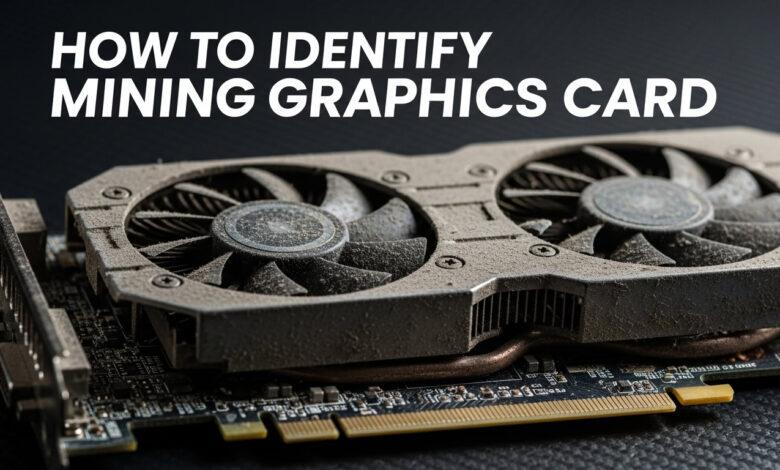
Now, let’s learn how to identify Mining Graphics Card
Step 1: The Seller, Listing, & Market (Red Flags)
You can often spot a bad deal before you even see the card. Look for these red flags in the online listing:
Selling in Bulk: This is the biggest warning sign. If a seller’s ad shows 10, 20, or 50 cards, they are 99.9% a miner. Avoid them.
Vague Description: The listing just says “Used GPU” or “Graphics Card for Sale” without the exact model. They are trying to trap inexperienced buyers.
Stock Photos: The seller is using photos from the internet, not actual pictures of the card they are selling.
“No Warranty / No Testing”: If the seller refuses to let you test the card or says “no checking warranty,” it means they know it’s faulty.
A Gamer’s Advice on Local Markets (My Experience)
As a gamer myself, I have a lot of experience buying cards in the local markets. In Pakistan, there are many markets you can check depending on your city. For example, in Karachi, there are well-known markets like Techno City, Naaz Plaza, and Bhayani Center.
There are also many high-quality, trustworthy shops available, such as:
They sell excellent quality products, including graphics cards, and I have personal experience buying from them. You can buy online, but my advice is to visit the shop physically to test the product before you buy. It’s much safer. The staff at these shops are also professional and polite.
Step 2: The Physical Inspection (Visual Checklist)
Okay, you’re at the shop, and the card is in your hands. It’s time to be a detective.
1. Yellowing & Discoloration (The Biggest Sign)
Mining cards run at extreme temperatures.
Look closely at the backplate and the PCB (the green/black circuit board).
If you see any strange yellow or brown stains around the VRAM chips or on the board, this is a clear sign of “overheating.” This card was almost certainly used for mining.
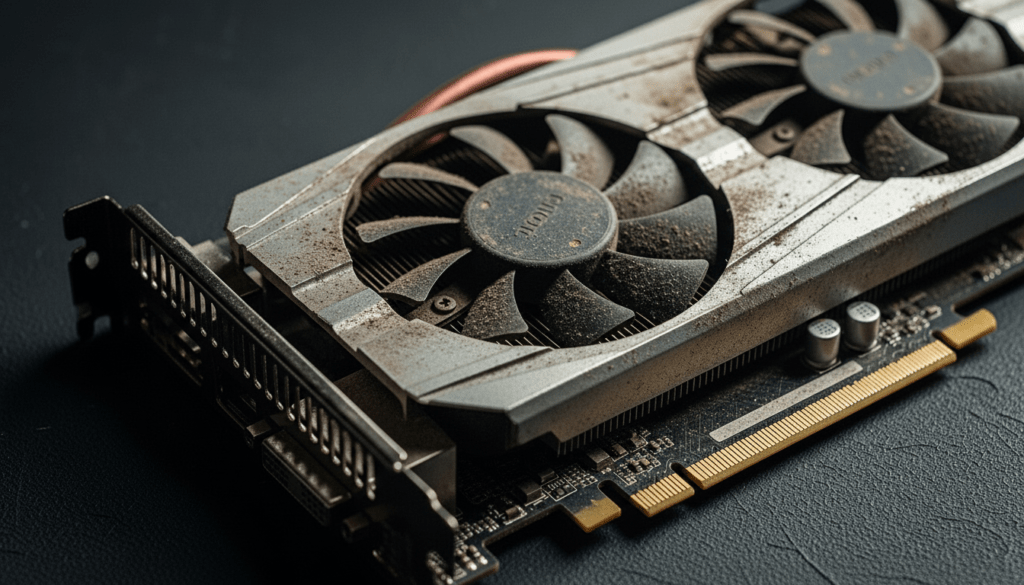
2. Fan Condition (Dust vs. Grime)
A little dust is normal for any used card.
“Grime” (oily, sticky residue) is not normal. If the fan blades have dust that looks caked-on, sticky, or oily, it’s a sign of a high-heat environment.
Spin the fans with your finger. Do they rattle or feel loose? Are they stiff? This indicates the bearings (motors) are worn out.
3. Rust and Corrosion
Mining farms are often in humid basements.
Check the metal I/O ports (HDMI, DisplayPort) and the screws.
If you see any rust, hand the card back immediately.
4. Tampering & Mismatched Screws
Miners often open cards to change thermal paste.
Look at the screws. Are they scratched or stripped?
Is a screw missing? Does one screw look different from the others?
This is a sign the card has been opened, often multiple times.
Step 3: The Software Tests (The Final Proof)
This is the most important step. A card can look clean but be electronically damaged. If a seller refuses to let you run these tests, CANCEL THE DEAL.
A. Verify the Card with GPU-Z
First, make sure the card is genuine.
Run the free GPU-Z software.
It will show you the card’s real name (e.g., “NVIDIA GeForce RTX 3070”).
Check that all details (VRAM type, Shaders, Clock Speed) match the original model. Some scammers “flash” a cheaper card’s BIOS to make it look like a more expensive one.
B. The VRAM Test (OCCT Software)
Mining kills VRAM first.
Run the free OCCT software.
Select the “VRAM” test.
Let this test run for at least 10 minutes.
If OCCT shows any errors at all (even just 1 error), the VRAM is damaged.
Do not buy this card.
C. The Stress Test (FurMark Software)
Finally, let’s check the temperature under 100% load.
Run the free FurMark software and start the “GPU Stress Test.”
Let it run for 10-15 minutes.
Watch two things:
Temperature: If the temperature keeps climbing and goes above 90°C, its cooling system (fans/paste) is failing. This is a bad sign.
Screen Glitches: If you see any weird lines, dots, “artifacts,” or if the PC crashes, the card is 100% faulty.
Final Verdict: So, Should You Buy a Mining Graphics Card?
My personal advice
if you are a beginner, do not take the risk on a mining card.
However, if you’re on a tight budget and you’re getting a good card for cheap from a trusted seller (someone you know), you can take that risk because they are unlikely to give you a faulty product.
Often, you can even get a checking warranty for a few days with used cards, which is a huge advantage. I always try to buy from sellers I have a good relationship with. If there’s ever a problem, they’ll usually exchange it for me because of that relationship.
Buying a used card can save you a lot of money, but only if you’re smart about it. Follow these steps, and you can avoid getting scammed.
Happy Gaming!